

Report: The Roll-Up
What this screen is for
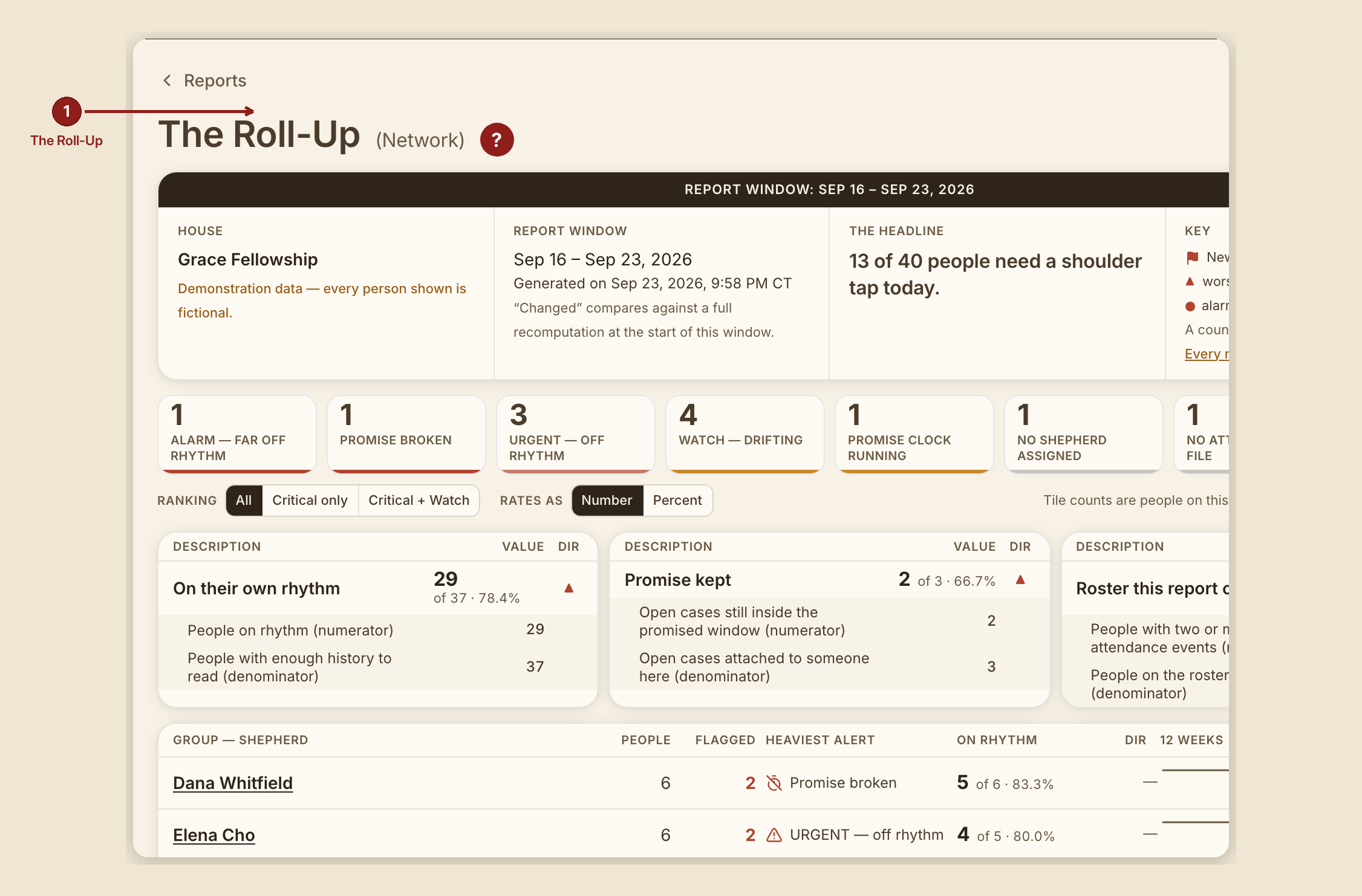
The Roll-Up (/dashboard/reports/roll-up) is the house's network view — who's carrying what, and how it's trending, at three altitudes that share the exact same chrome: Network → Group → Person. It's this suite's flagship report, and the first one listed on the Reports index.
What you see, in the screen's own labels
- H1 reads "The Roll-Up ({altitude})" — literally "The Roll-Up (Network)," "The Roll-Up (Group)," "The Roll-Up (Person)" at the three levels. Each level's row name is itself the link down to the next altitude.
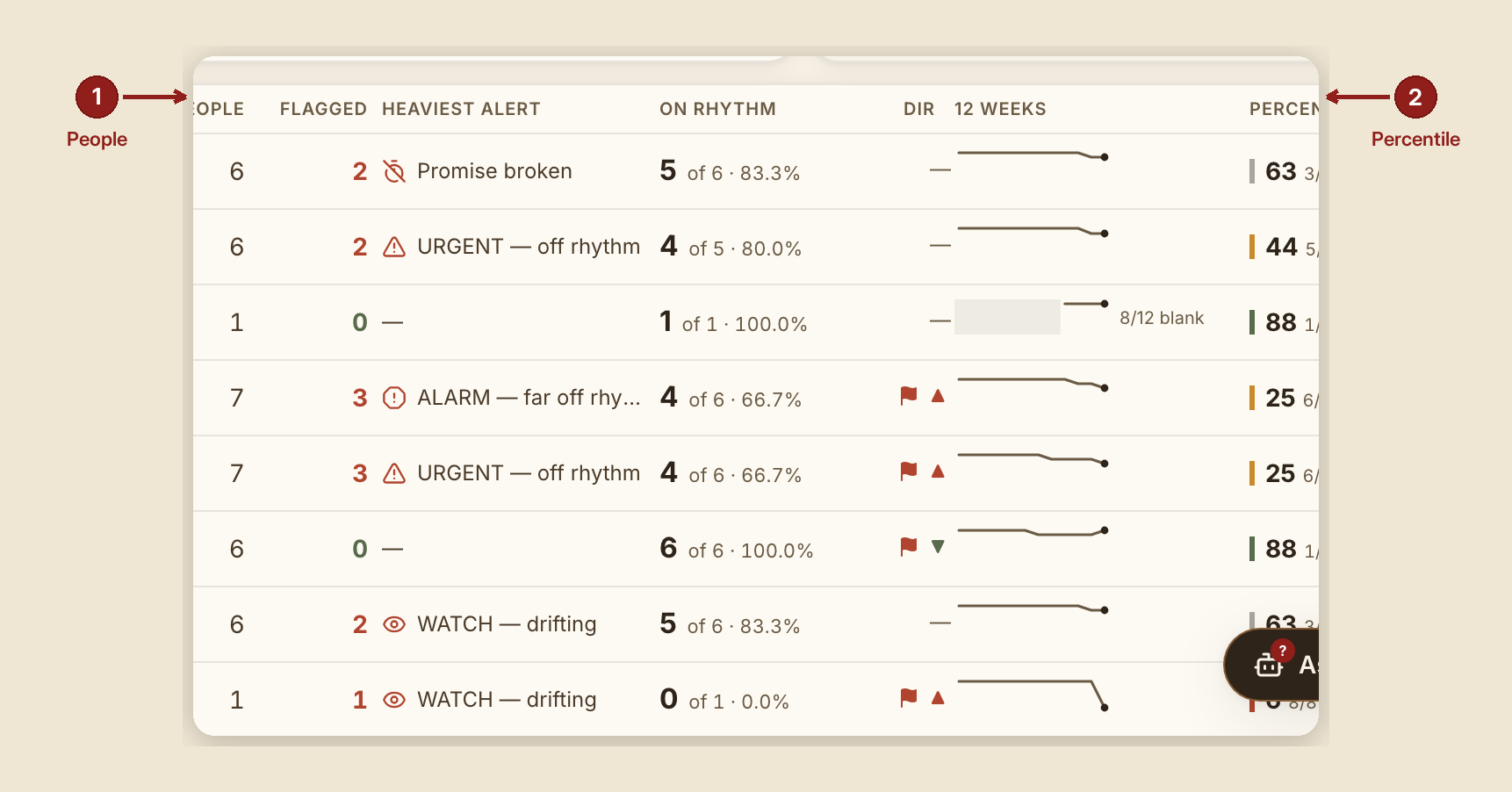
- L1 (Network): a scorecard strip of alert tiles, a house-wide rate block (on-rhythm / promise-kept / readable), and a table of every shepherd group with People / Flagged / Heaviest alert / On rhythm / Dir / 12-week sparkline / Percentile columns.
- L2 (Group): the same chrome, narrowed to one group's people, plus a peer/benchmark table — Measure / This group / The house (all groups) / Dir / 12 weeks / Percentile. With only one group in the house, the page says so honestly rather than inventing a peer: "This house has one group, so there is no peer column and no percentile: the network average would be this group's own number written twice, and a percentile needs somebody to be a percentile of."
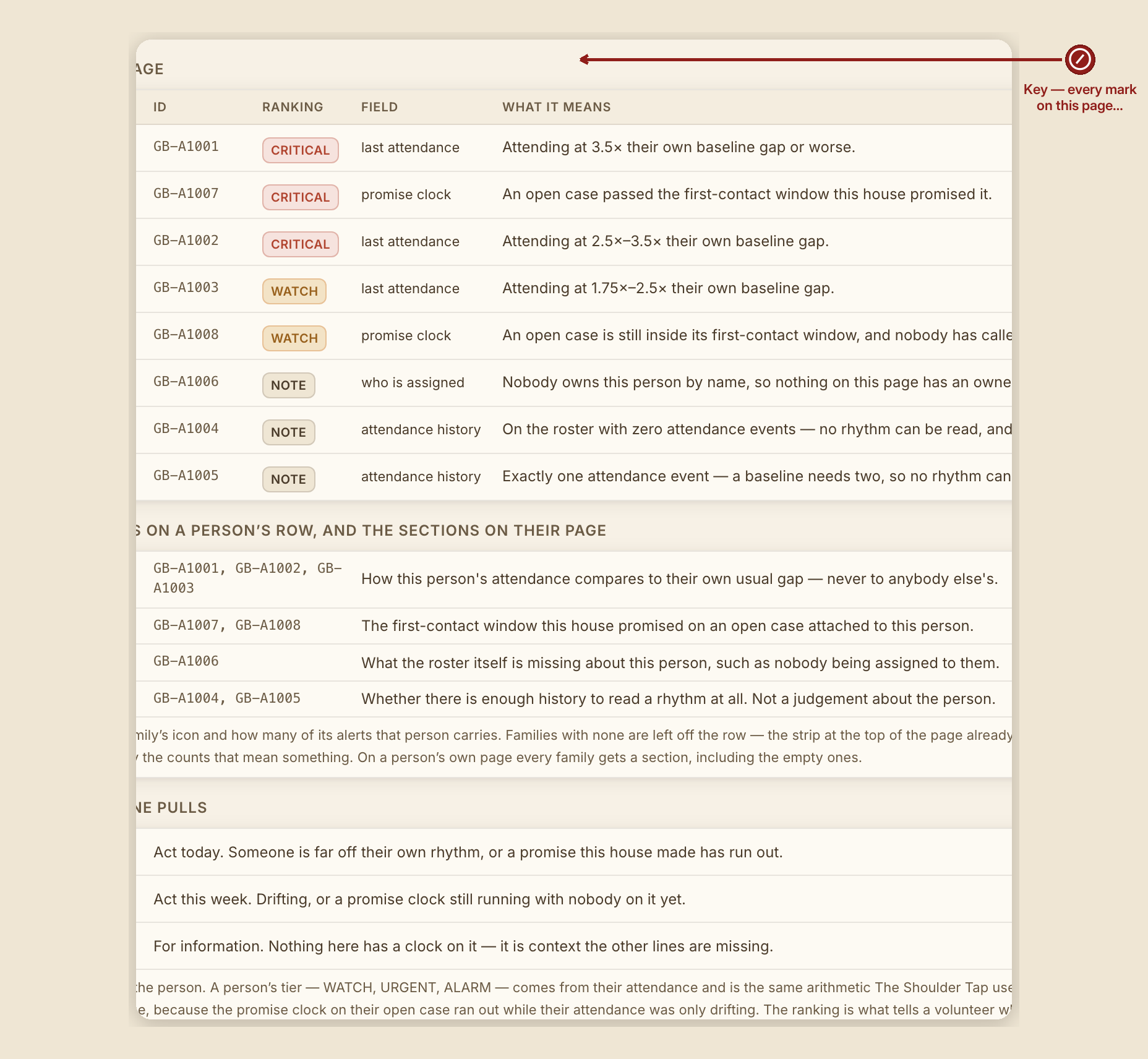
- L3 (Person): the same chrome again, narrowed to one person, with their own Shoulder Tap drift multiple spelled out: "Shoulder Tap: WATCH ≥1.75× · URGENT ≥2.5× · ALARM ≥3.5×."
- Percentile marks are colour-banded (top = moss, upper = a lighter tone, lower = amber, bottom = rust) with a left border, and read a full fraction, not just a number — e.g. rank/of.
What to do
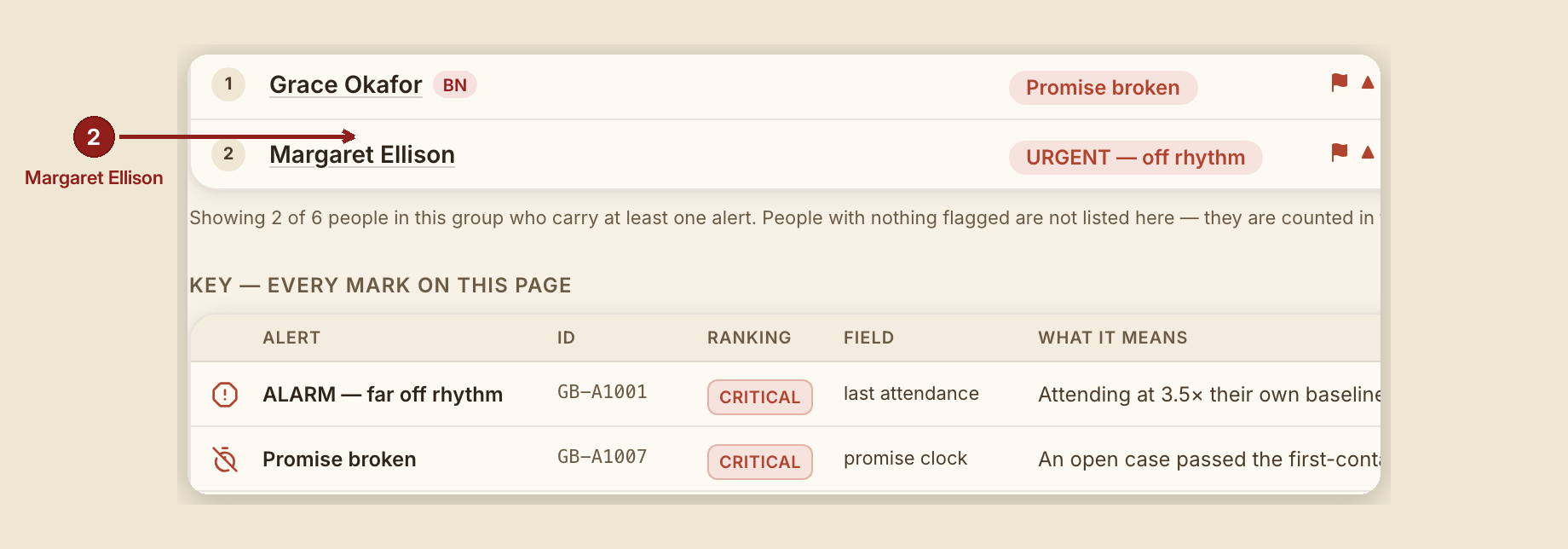
- Start at Network, scan the table for the heaviest alert in each group, and click a group's name to drop to Group level for that group's own detail.
- At Group level, use the peer table to see how this group compares to the house as a whole — or read the honest single-group note if your house only has one group yet.
- At Person level, read the drift multiple against the same thresholds the Shoulder Tap uses, so the two reports never disagree about the same person.
- Follow a row name down, not a separate "view" button — the row itself is the link at every altitude.
What NOT to do
- Don't compare a percentile across houses with different group counts without reading the peer table's own caveats — a percentile needs real peers to mean anything, and the report says so plainly when there aren't any.
- Don't skip the Key. Because the Roll-Up carries the most mark types of any report in the suite (severity dots, direction arrows, sparklines, percentile bands), reading its Key first pays off more here than anywhere else.
When something goes wrong
- A group or person has no peers to rank against: "This house has one group, so there is no peer column and no percentile…" — not an error, a fact about the house's current size.
- No history yet for a sparkline week: the sparkline shows a break at that week rather than bridging it, with a caption like "{n}/{weeks} blank."