

Dashboard and case list
What this screen is for
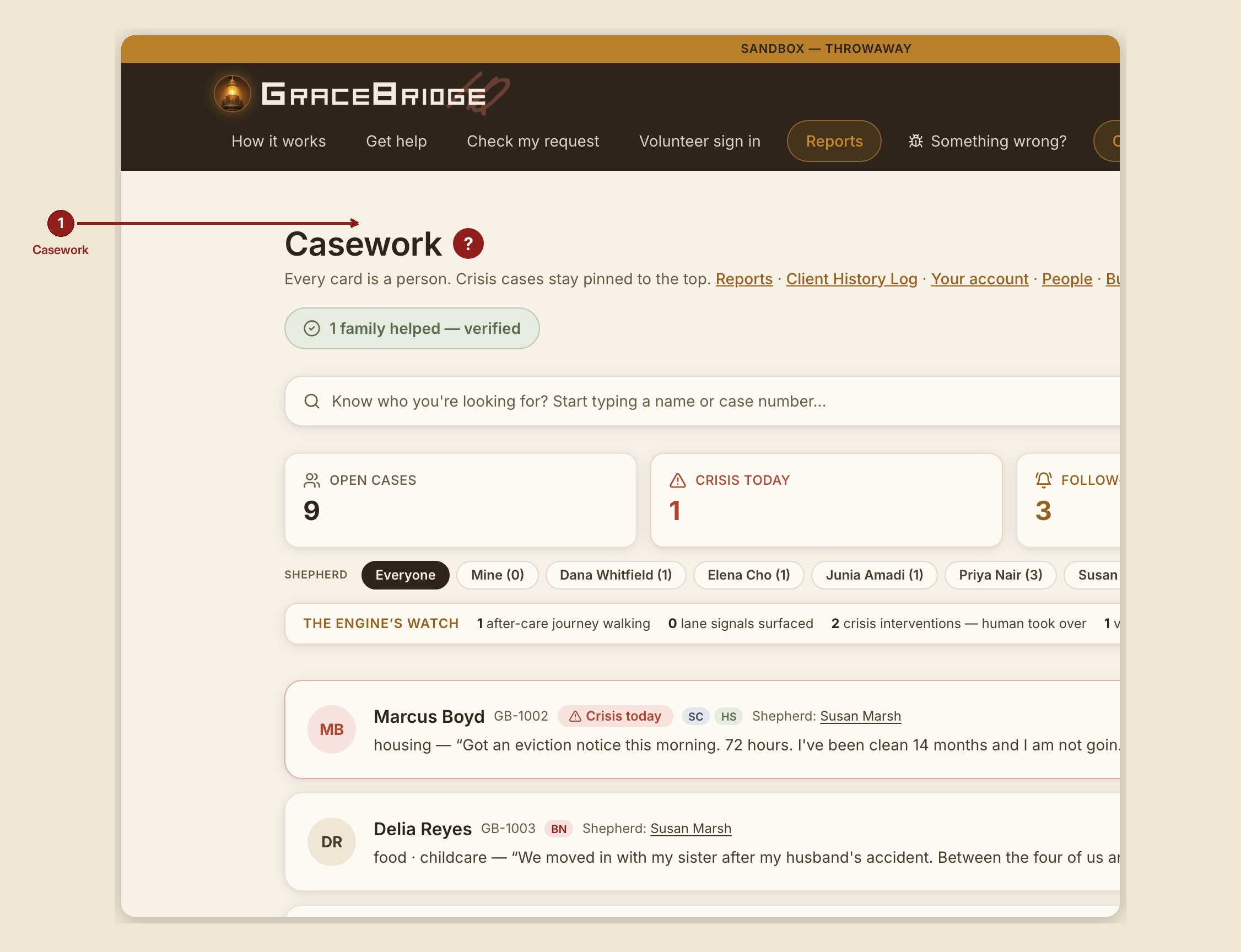
This is the morning view — the first thing you see after signing in. Every card on it is a person. It answers one question at a glance: who needs attention right now?
What you see, in the screen's own labels
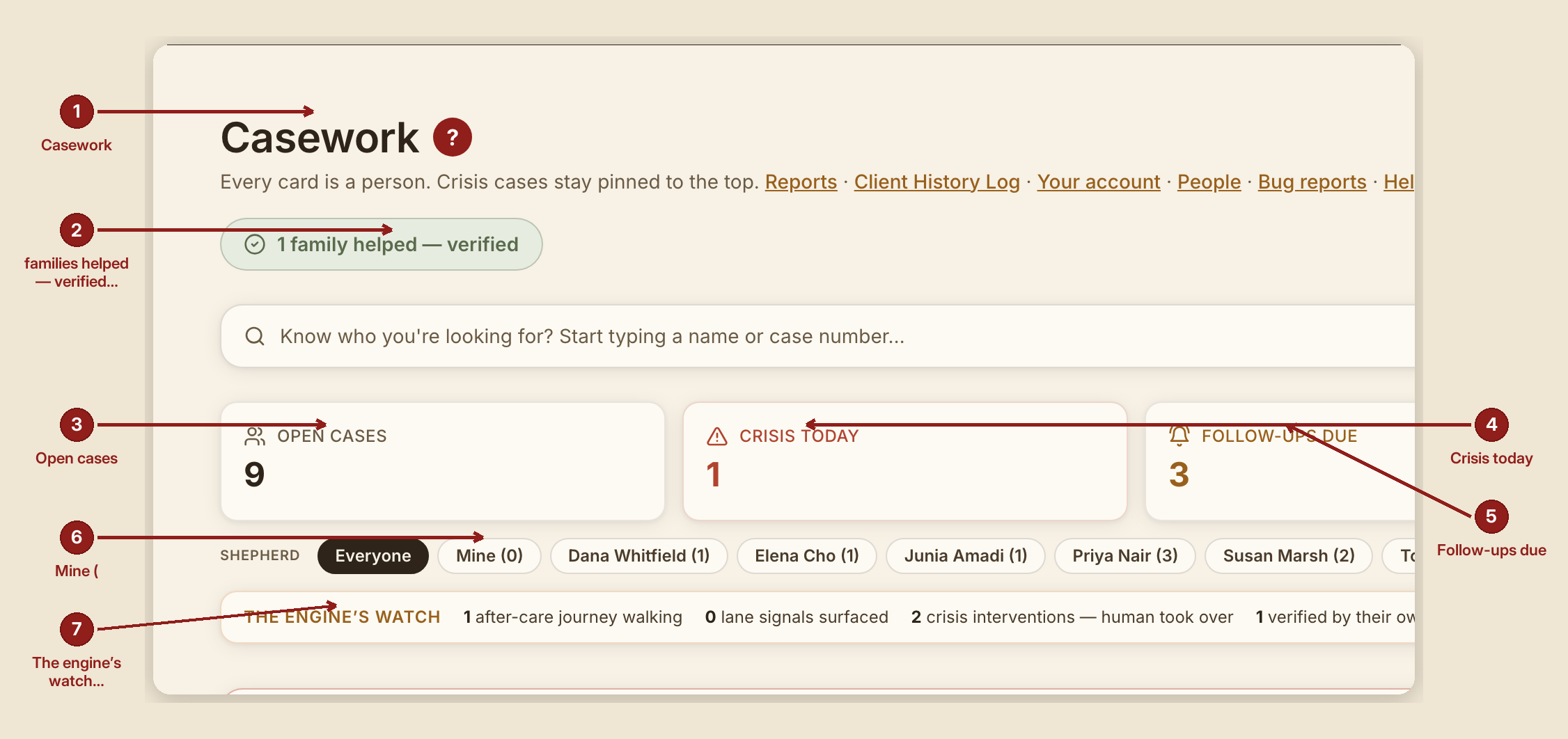
- "Casework" — the page heading, with "Every card is a person. Crisis cases stay pinned to the top." underneath.
- "{n} families helped — verified" — top right. This number only moves when a volunteer confirms, in the software, that help actually landed. It never counts a promise.
- Search box — "Know who you're looking for? Start typing a name or case number…" Matches appear as you type, from the first letter of a first name, last name, or case number. Click anywhere on a result row to open that person.
- Three filter tiles, each one also a toggle: - Open cases — everyone still being carried. - Crisis today — in red. Red on this house means one thing only. - Follow-ups due — people the system thinks have gone quiet too long.
- Shepherd row — pills for "Everyone," "Mine ({n})," and one pill per shepherd, so you can see one person's whole caseload at a glance.
- "The engine's watch" — a strip of counts computed from receipts, not promises: after-care journeys walking, lane signals surfaced, crisis interventions where a human took over, and the verified count again.
- Each case card shows: initials, name, case number, "Crisis today" / "Follow up" badges when they apply, who shepherds it, the needs list, the first line of the story, a status badge, and how long ago the case came in. The whole card is a link — click anywhere on it.
What to do
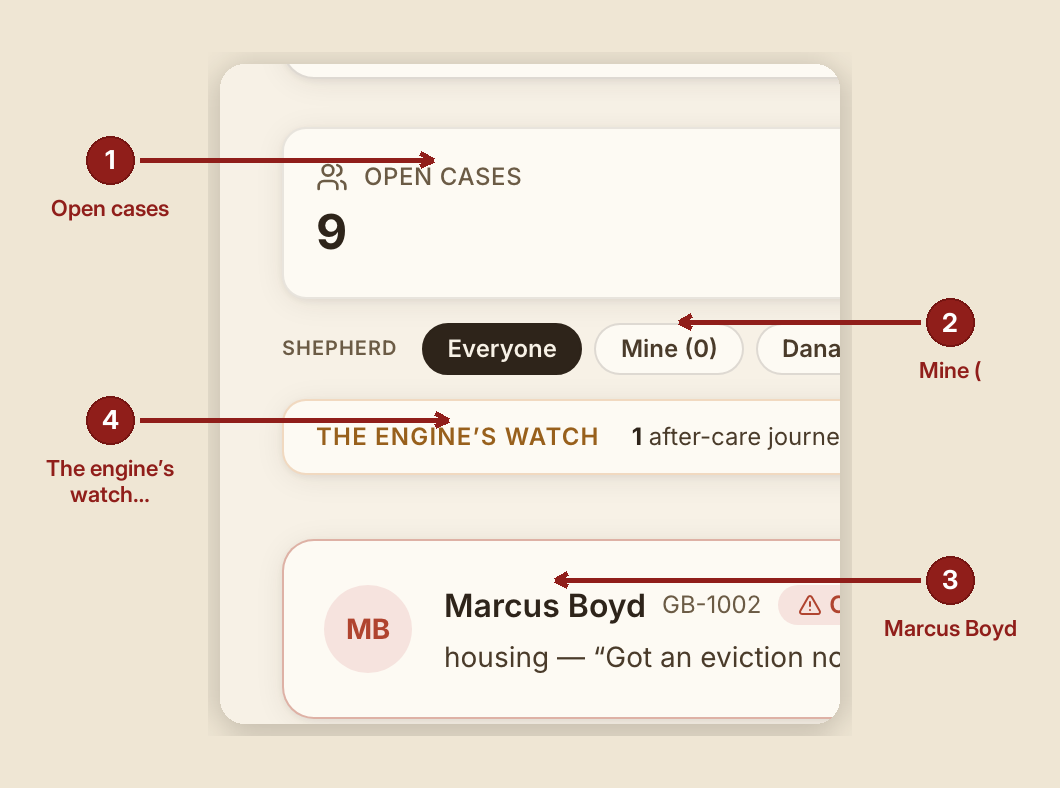
- Tap a filter tile to narrow the list to exactly those people; tap it again, or use the "show all" link, to see everyone. When a filter is active, a line says so plainly: "Showing 3 of 12 — filtered to crisis today."
- Use the Shepherd row to see one person's caseload, including your own — the "Mine" pill.
- Click a card to open that person's full case page.
- Read "The engine's watch" as a quick pulse check on the house, not as a to-do list — it's a summary strip, not a queue.
What NOT to do
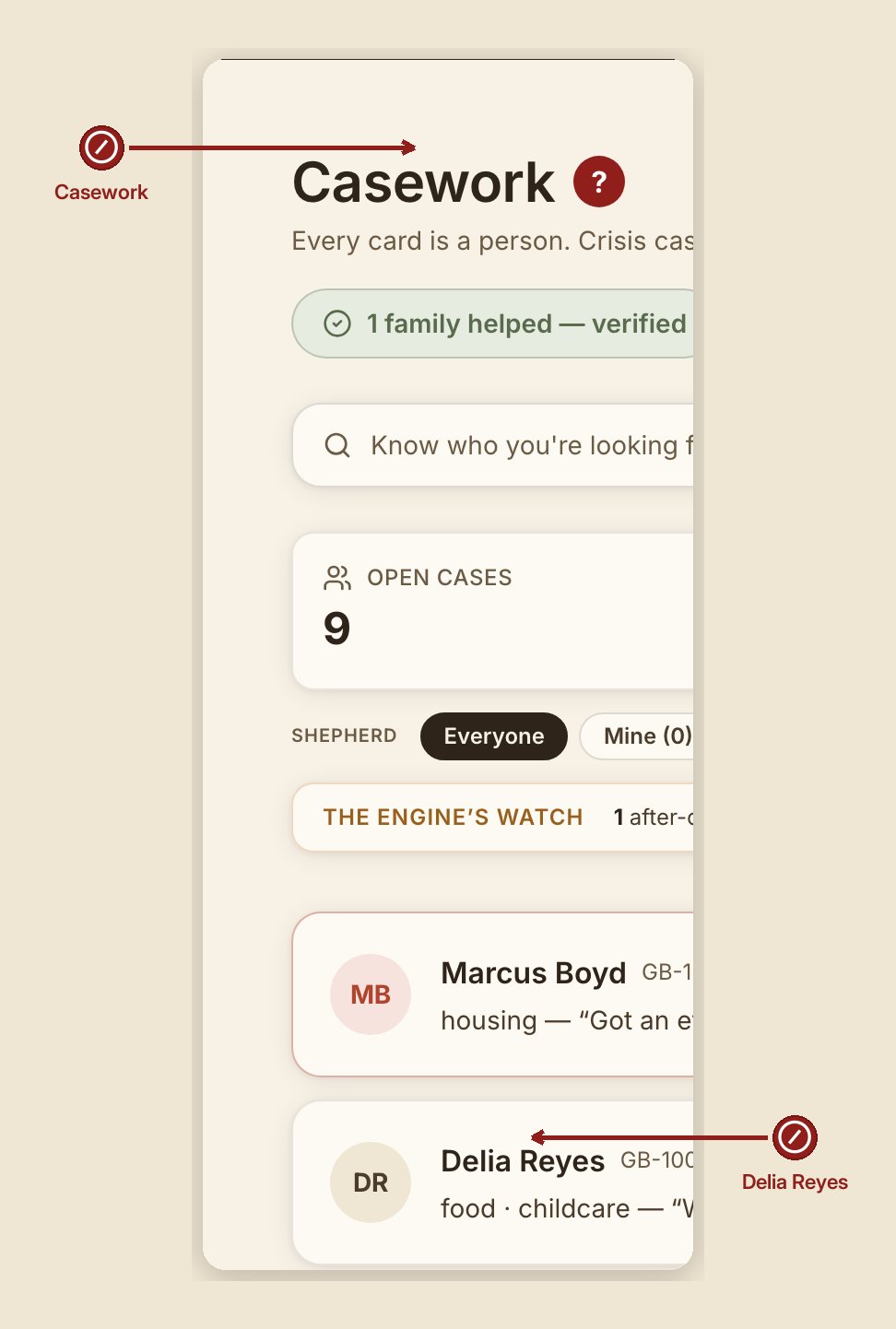
- There is no "add a case" button here, and that's deliberate. Every case starts with the person's own words and their own consent — see Get help / intake for how a new case actually begins.
- Don't read the absence of a badge as "nothing is happening." A case with no crisis or follow-up badge is simply on-track; open it to see its own notes and timeline if you want the detail.
The Client History Log — a related, separate report
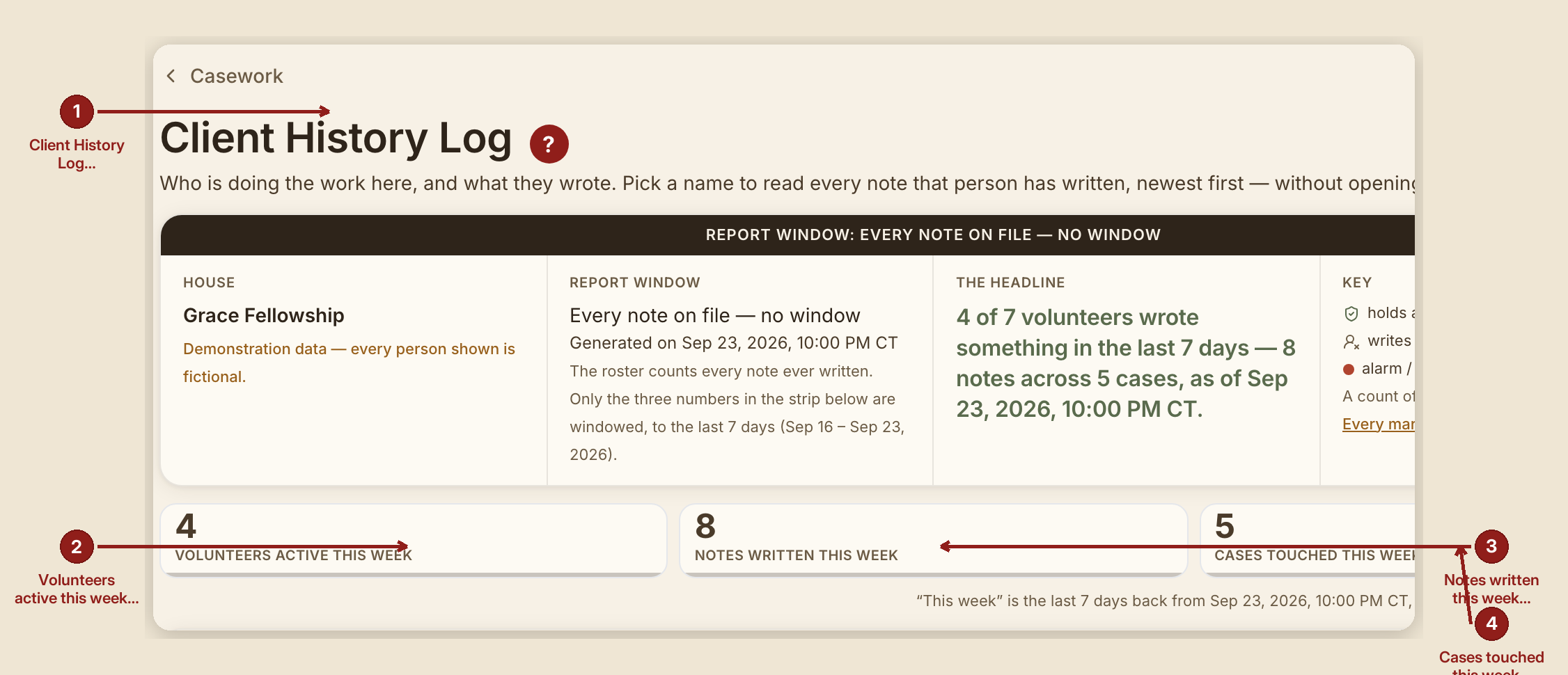
Next to Reports, the Casework heading links to "Client History Log" — a different page (/dashboard/volunteers), built to answer one specific question: who is doing the work here, and what did they write? Pick a name to read every note that person has written, across every case, newest first — without opening cases one at a time to find them.
- Scorecard tiles: "Volunteers active this week," "Notes written this week," "Cases touched this week."
- Table columns: Volunteer · Notes · Cases · Last note (and Last seen, when the account source tracks sign-ins).
- An honest zero for a volunteer with no notes yet reads: "No notes yet — as of {date}." That is a checked zero, not a missing row.
Volunteer note. If your role is volunteer, both Casework and the Client History Log narrow automatically to your own cases and your own notes — a line on the page says so plainly, e.g. "You are signed in as a volunteer, so this page shows the cases assigned to you and the cases you have written on." This is not a bug or a restriction someone forgot to lift; it is how the role works. Staff, consultants, and the founder see the whole house.Founder / caseworker (staff) note. Staff roles see every case in the house and can hand a case to a volunteer from the Client History Log's assignment panel, appended for anyone with that permission. A case joins a volunteer's list the moment it's assigned to them, or the moment they first write a note on it.
When something goes wrong

- No case matches your search: "No one in view matches '{your search}' — check the spelling, or they may not be visible in this session."
- A filtered or owner-scoped view has nothing to show: "No case this sign-in can see is {filter} right now."
- An unfiltered view is simply empty: "Nothing in this view right now — which, for this filter, is good news."
- Both empty states offer a "Show all cases" link back to the whole list.
On a demonstration house only, the dashboard also carries the line "Demonstration data — every person shown is fictional." If you ever see that line on a house you know is carrying real people, tell the founder — that would be a mistake, not a feature.